



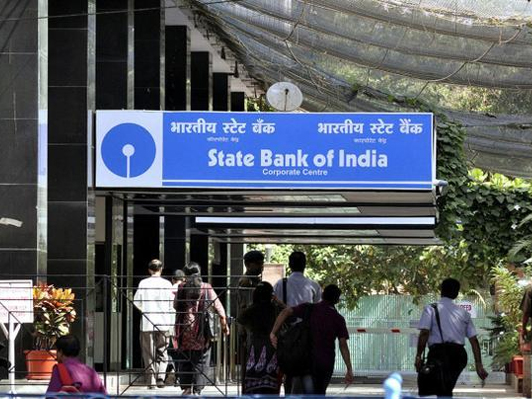


 If you an account holder in the State Bank of India (SBI) and have not linked it with the Aadhaar yet, your account may get suspended if you don’t do it before December-end.
In its recent announcement, the largest public sector lender has announced that “Avail benefits of the digital life. Simply link your Aadhaar number with your bank account.”

It added, “In terms of amended PML rules dated 1st June 2017, all existing customers are requested to submit Aadhaar number by 31st December 2017, failing which the account shall cease to be operational till the time Aadhaar number is submitted.”
The users can follow these simple steps to link their Aadhaar card. The user can do it via SBI, Mobile App, ATM channel, SBI branch channel or via SMS.

Aadhaar linking through SBI online
1. Log in SBI online banking portal by visiting the link www.onlinesbi.com. Go to link my Aadhaar number option appearing under ‘My Accounts’ panel appearing on the left panel of your computer screen.
2. Click on the above-mentioned link (‘Link your Aadhaar number’) and you will be directed to a screen where you need to fill up your Aadhaar number, after entering the details, click on the submit button.
3. The user will be able to see the last two digits of his/her registered mobile number (Non-editable) number on the screen.
4. The status of the linkage can be done through the registered mobile number.

Aadhaar linking via ATMs
1. Visit any SBI ATM to seed your Aadhaar card with your bank account.
2. Swipe your ATM card and enter PIN, ‘Link your Aadhaar number’.
3. Select Aadhaar registration in the menu
4. Select Account type and enter your Aadhaar number. You will be asked to re-enter the details again.
Aadhaar linking via SMS
1. Send SMS to 567676 with your registered mobile number with SBI. Type UID (space)Aadhaar number(space)Account number.
2. You will receive an SMS confirmation from the bank on the seeding request.
3. In case of failure, you will receive an SMS from the bank to contact the nearest branch Aadhaar number or e-Aadhaar.
4. At the branch, a Letter of Request will be obtained from you along with the Xerox copy of the Aadhaar letter.
5. You will receive a confirmation SMS from the bank after the verification is completed.